Browse World Builder first. You can explore what it does before creating an account.
Subscribe today and unlock these benefits
A better home for worldbuilding, session prep, maps, and shared lore.
World Builder is your all-in-one hub for campaigns, session prep, and shared lore. Keep notes, maps, handouts, and references together in a fast, distraction-free workspace built for storytellers.
Use LAUNCHPROMO before May 31, 2026 and start with six months free.
Start building your world today with promo code LAUNCHPROMO and get six months free during launch. Move your notes, maps, handouts, and campaign references into one connected library without paying upfront, and experience a faster, more organised way to prepare and run your games.
6 months of World Builder free during launch.
30-day free trial, then $10/month.
Built for storytellers who want prep, play, and lore in one place.
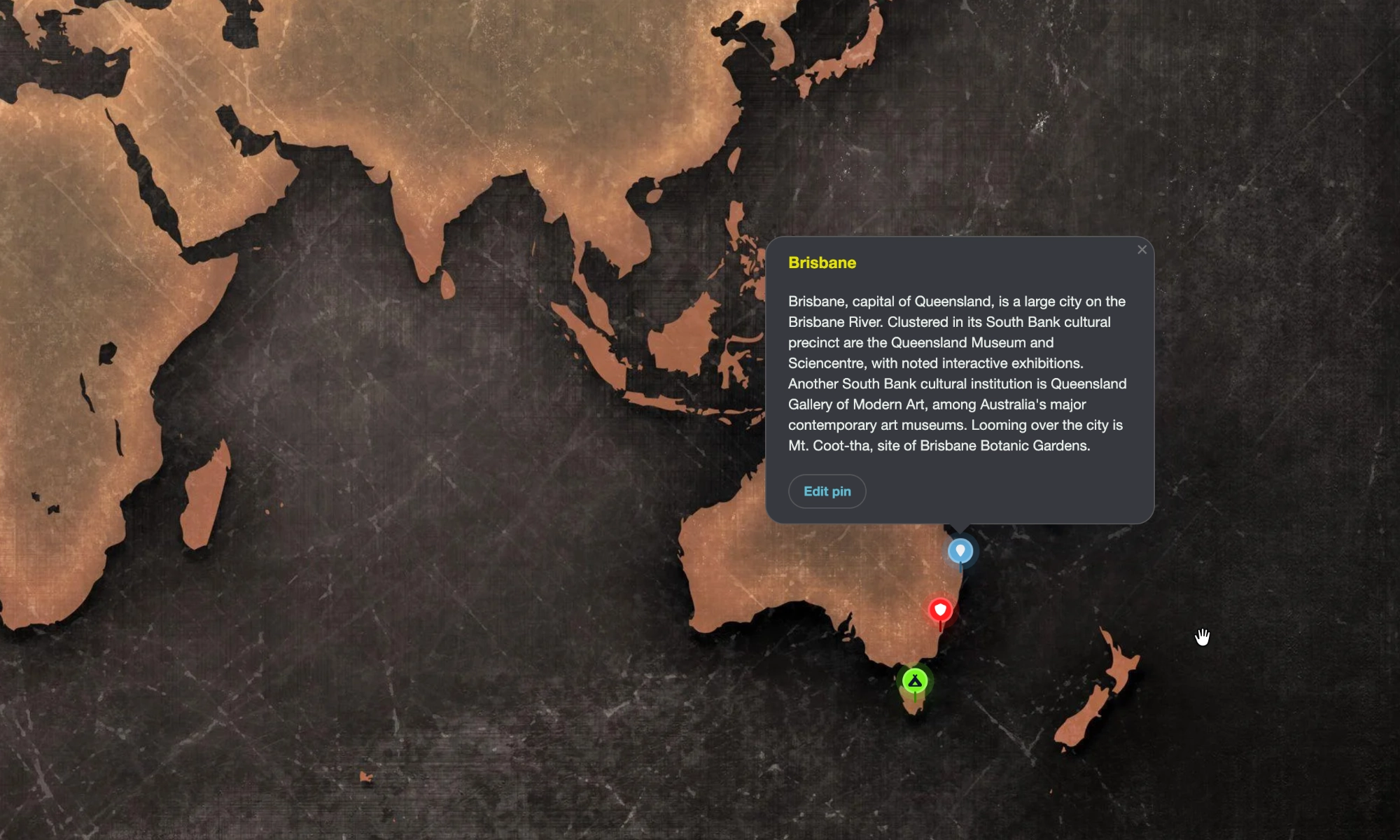
Import your location and region maps, then pin the world to them.
Turn your maps into living campaign tools by importing region, settlement, and travel maps, then placing marker pins that link directly to your notes, lore, and handouts. Explore your world visually while keeping every location, encounter, and rumour just a click away.
Import location and region maps into your world.
Add marker pins linked to notes, lore, and handouts.
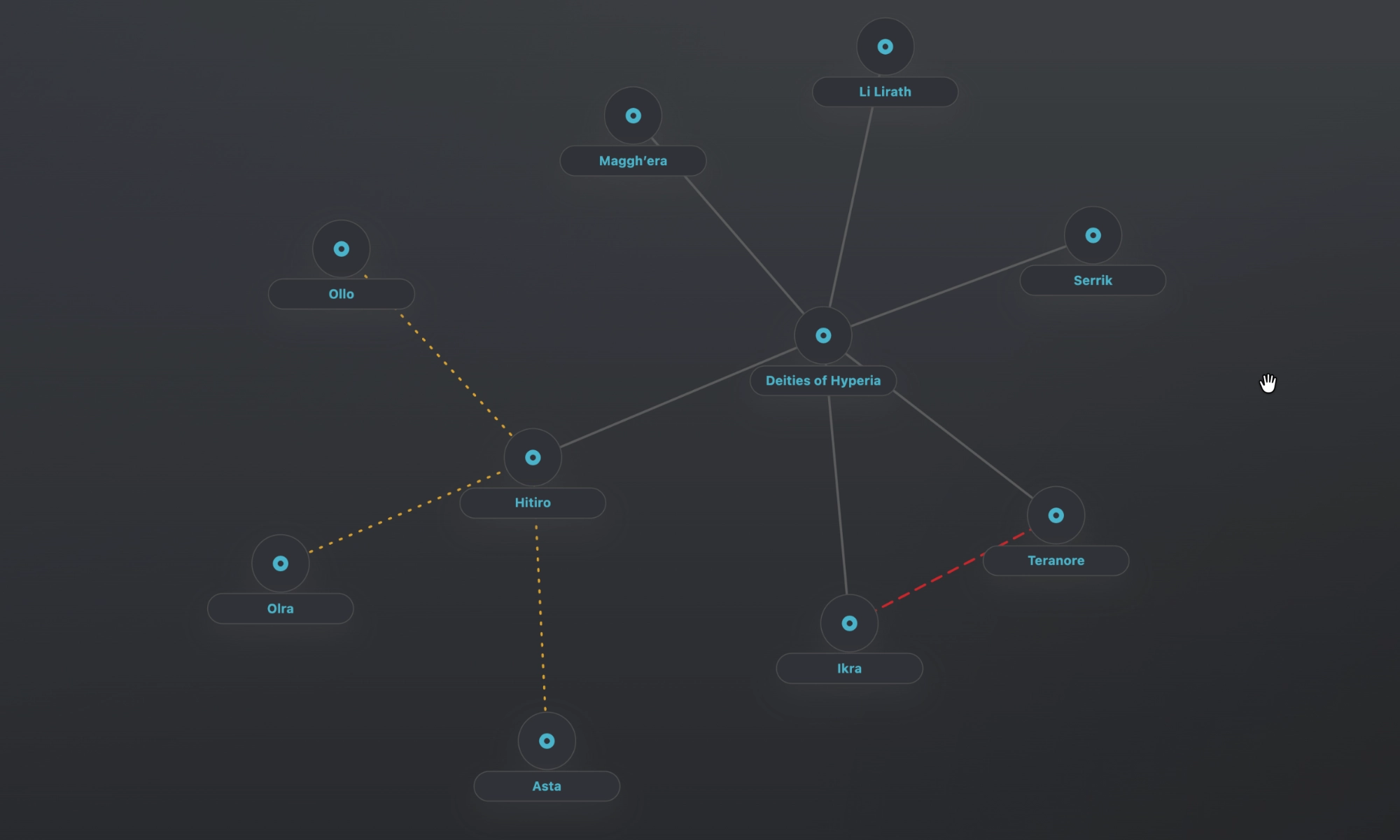
Build faction maps, organisation charts, family trees, and murder boards.
Visualise the relationships that drive your story with flexible connection maps that track factions, families, loyalties, and rivalries. Whether you're mapping conspiracies or bloodlines, every node links back to your documents, keeping your campaign’s people and power structures clear and easy to navigate.
Map alliances, bloodlines, suspects, and conspiracies.
Open linked articles directly from the visual map.
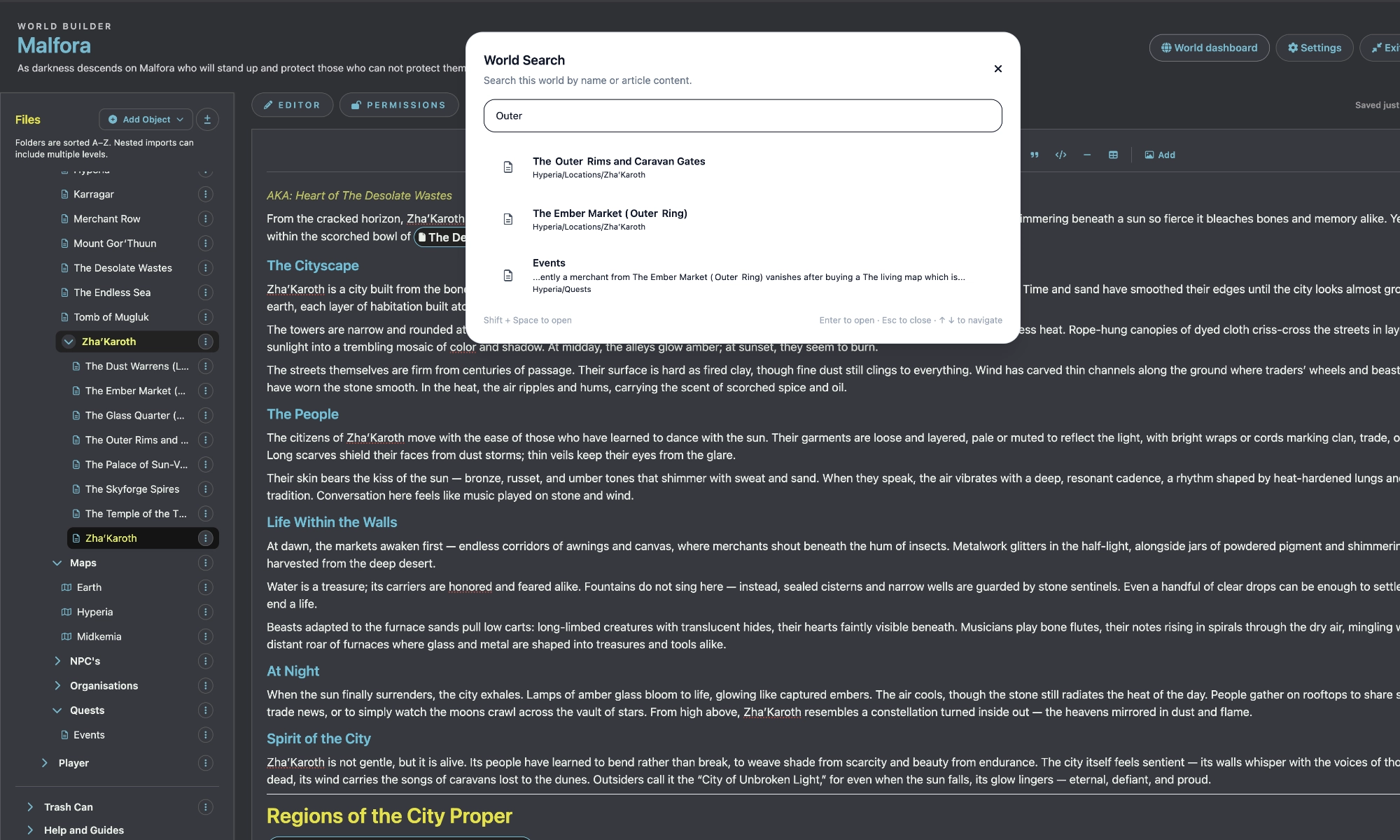
Search, write, upload, and cross-link without breaking flow.
Write, organise, and access your world without breaking immersion using powerful Markdown editing, file uploads, and seamless cross-linking. Keep your notes, images, PDFs, and references connected so everything you need is always one click away during prep or play.
Write with a powerful Markdown editor.
Upload images, PDFs, maps, and handouts.
Link assets and references directly inside your notes.
Control exactly how your world is revealed by sharing documents with specific players or campaigns while keeping private prep hidden. Embed external tools like live character sheets and ensure your players always have easy access to the lore, maps, and handouts they need.
Import your exiting markdown doscuments right into your world.
Bring your existing world into the platform with ease by importing Markdown documents and structured content directly into your library. Export your world as a zip when needed, and keep your lore, maps, and handouts organised, portable, and ready to use across your campaigns.
Export your world data as a Zip Document.
Import your data directly into your world.
Markdown files are converted with Images / PDFs.
Optimized for Obsidian vaults.
Privacy settings
Essential cookies enable core features like login. Allowing all cookies helps the site remember your preferences so the site feels familiar when you return.
Choosing "None" disables registration and login until you accept essential cookies.
Privacy settings
Update your preferences anytime. Essential cookies are required for login.